
 Salesforce, Salesforce and Postman, connect Salesforce with Postman, connect Salesforce API with the postman
- January 19, 2023
In this article, you will learn about Postman and how you can use it to search, find, and test Salesforce’s rich set of application program interfaces (APIs)
And also how to connect with your Sandbox and why to do it.
What is Postman?
Postman is an application used to test and develop APIs. It sends an HTTPS request from the client to the server via a network.
Also, you can use it for testing the functionality of APIs, debugging issues, and other tasks related to API development.
How to download Postman?
There are two ways to download Postman
For downloading the Postman application:
- Go to their official website
- Click the download button.
- Select the version of Postman you want and Download
After installing Postman, you can use it to test whether your APIs are working. You can also use it to create collections of requests and environment variables, as well as to collaborate with other developers and share your work.
For downloading the chrome extension
- Go to the Chrome Web store
- Search for Postman
- Install Postman, and you will see it in your chrome extension list. Just enable and use it.
How to connect Salesforce with Postman
It is pretty easy to connect Salesforce API with the postman
First, you need to have access to developer org, or you can try it out in your trailhead playground.
I will use the Trailhead Playground because it already has pre-installed packages.
- Sign in to your trailhead account.
- Go to this article, scroll down, click launch, and create your trailhead playground.
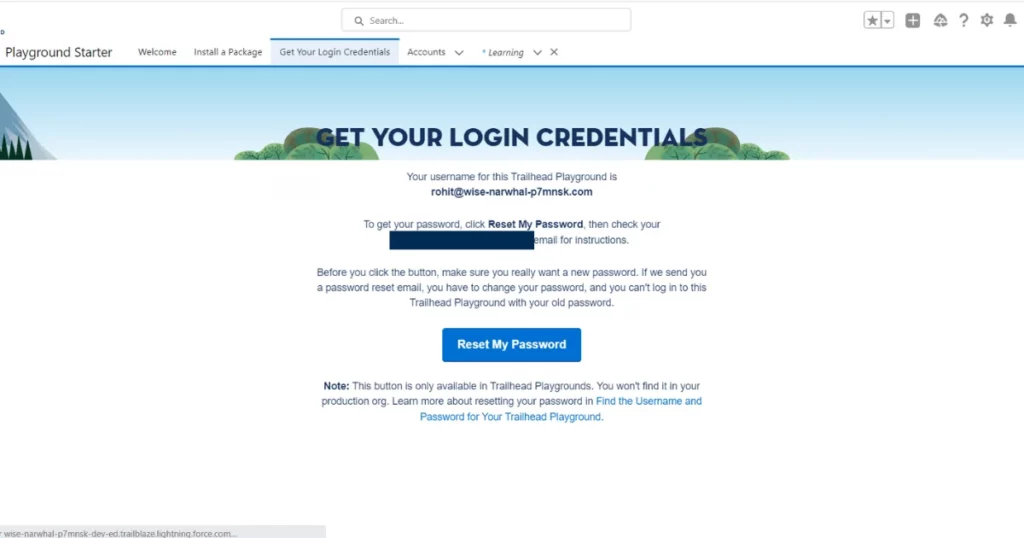
- After that, click “ Get your Login Credentials” in the nav bar and reset your password.
 The table displays columns for Lineage Stage (e.g., Source System, Salesforce Object), Object Name, Field Name, and Description.
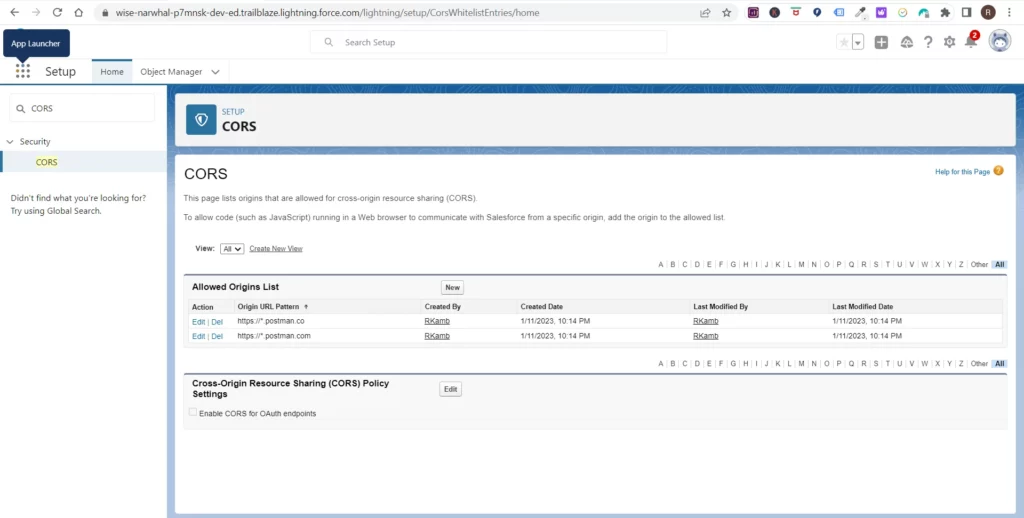
- Go to your trailhead playground and go to setup and Search for CORS.
 Automate RTBF and Portability Requests,
- Add two entries to the allowed origin list https://*.postman.co, and another for https://*.postman.com.
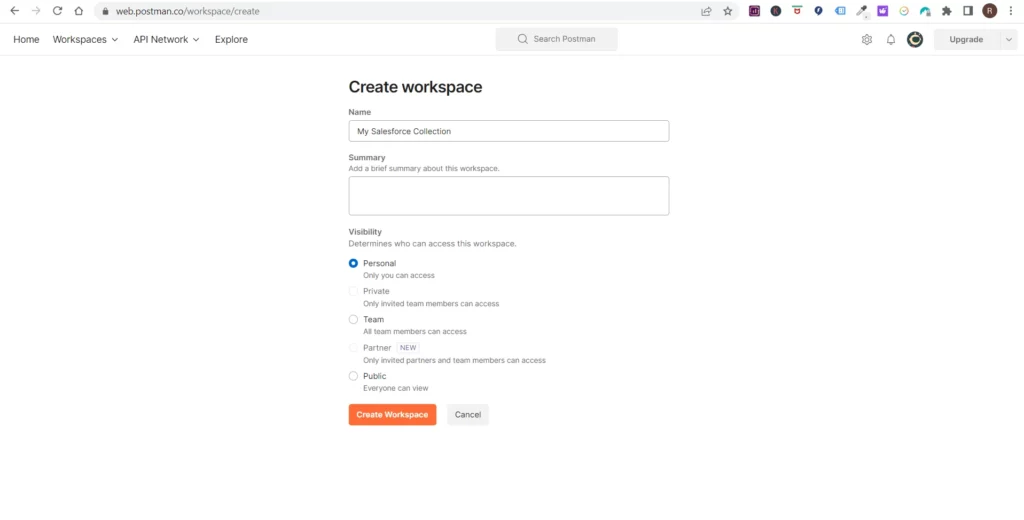
- After that, Go to Postman and create a new workspace.
 How to Mask Data in Salesforce Sandbox
- Set visibility to Personal
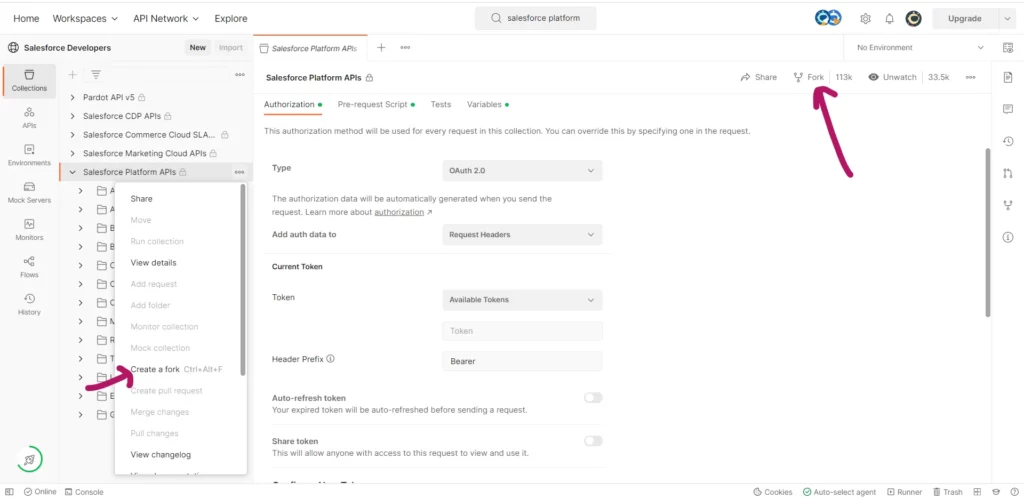
- After that, go to the Explore and Search Salesforce Platform APIs.
- There are two ways to fork APIs. You can do it directly or hover over the three dots and create a fork.
 Screenshot of a knowledge base article titled “What is Salesforce Data Residency and Why Should You Care?” on the Cloud Compliance app website
- Hover over the three dots, select create, and save it as a Salesforce API Fork.
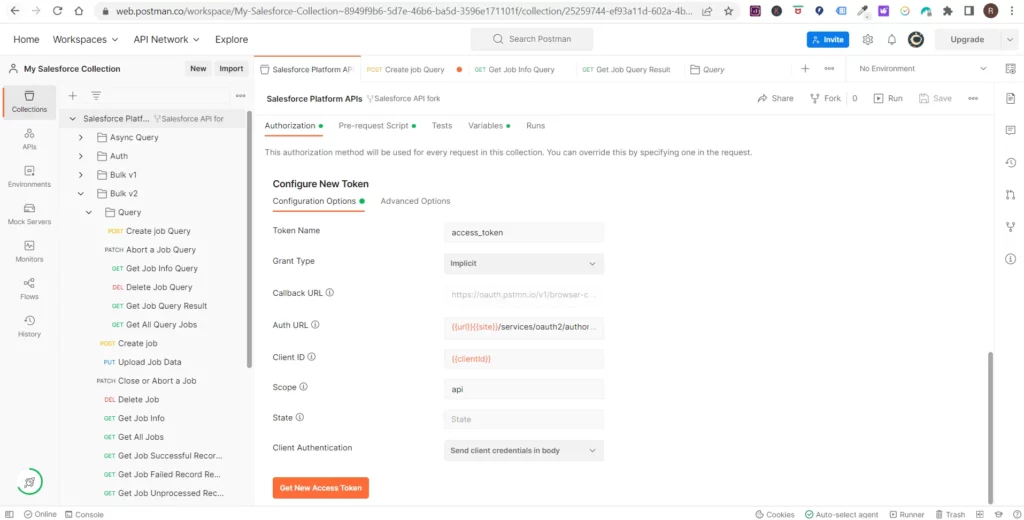
- Go to your collection, and under Authorisation, scroll down to “Get New Access token.”
 banner on the Cloud Compliance app website that advertises a free trial.
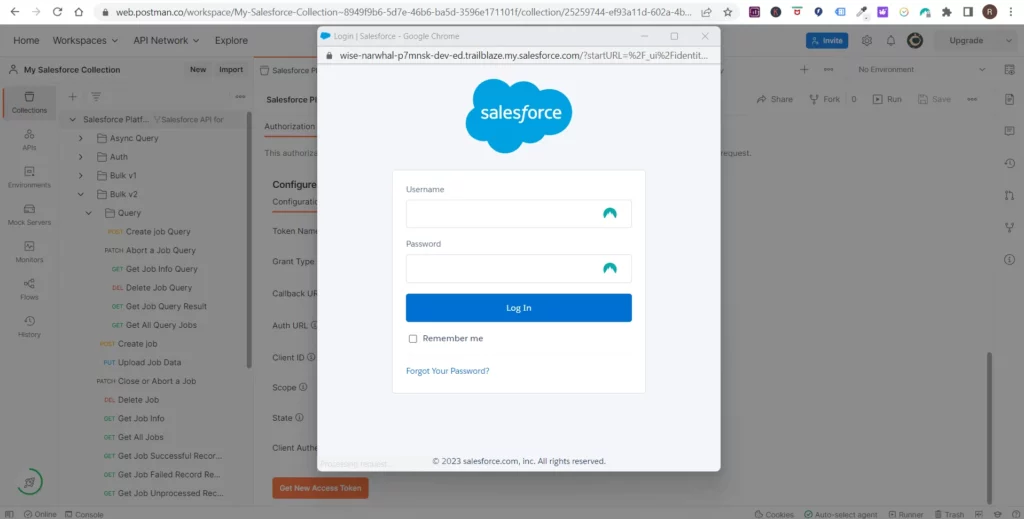
- Sign in and Allow
 Login page for Salesforce in a web browser overlaying the Postman API platform.
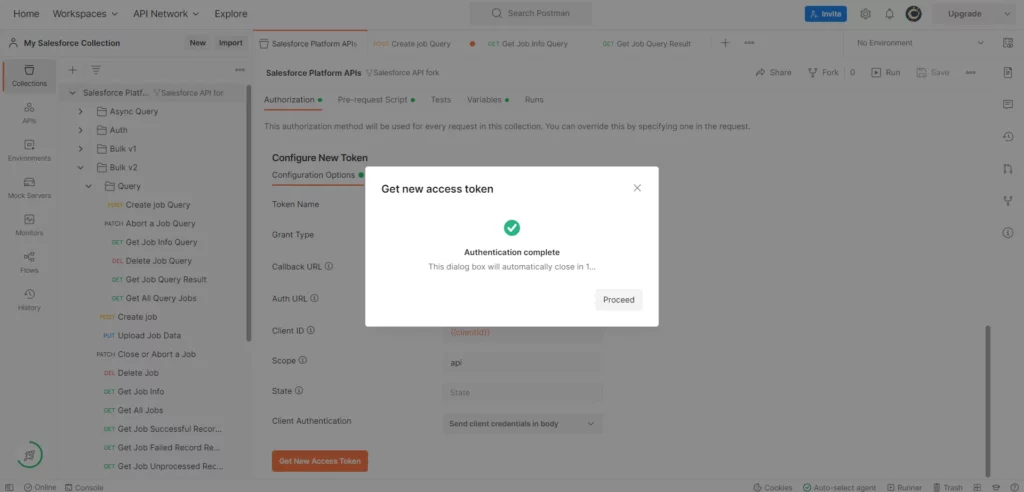
- Once authentication is complete, you will get a popup. Click Proceed
 Authentication completion notification overlaying the Postman API platform.
- Copy the instance URL and click “Use token.”
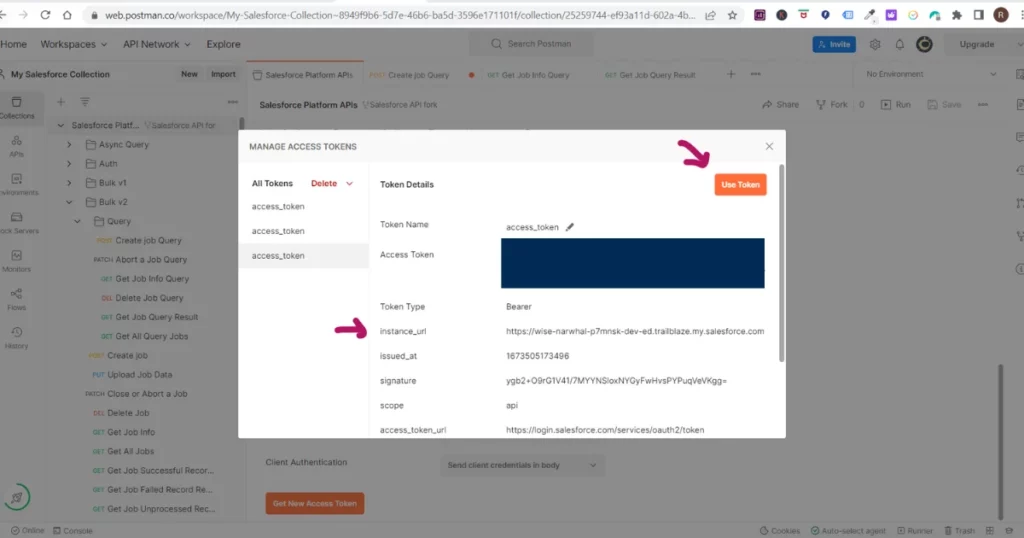 Access tokens management in Postman for Salesforce APIs.
- Go to the Variable, scroll to the endpoint, paste the instance URL, and Save.
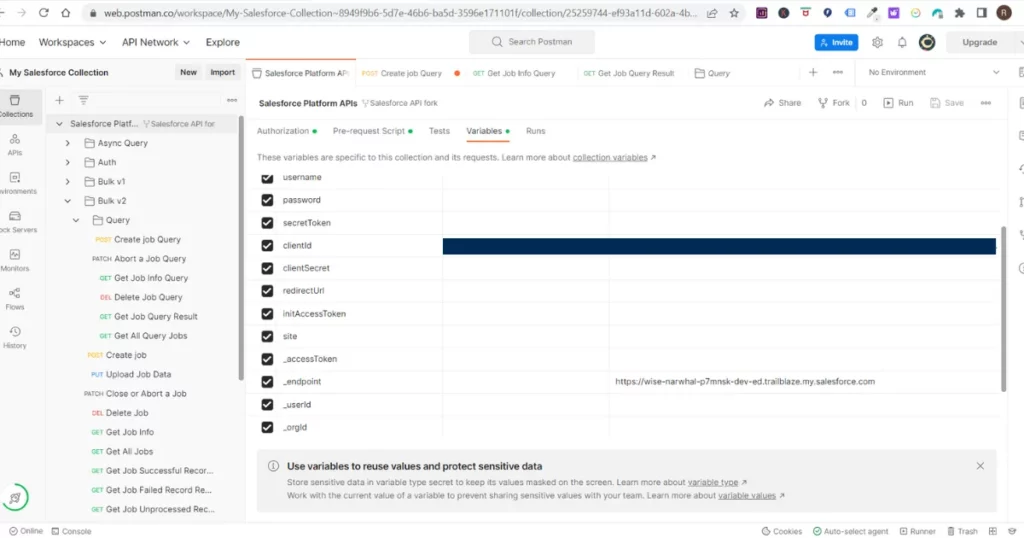 Configuration of Salesforce API request variables in Postman
- Let’s see if it is working.
- Go to the Bulk v2 and click the dropdown and select the query
- Click the dropdown once again and Click Create Job Query
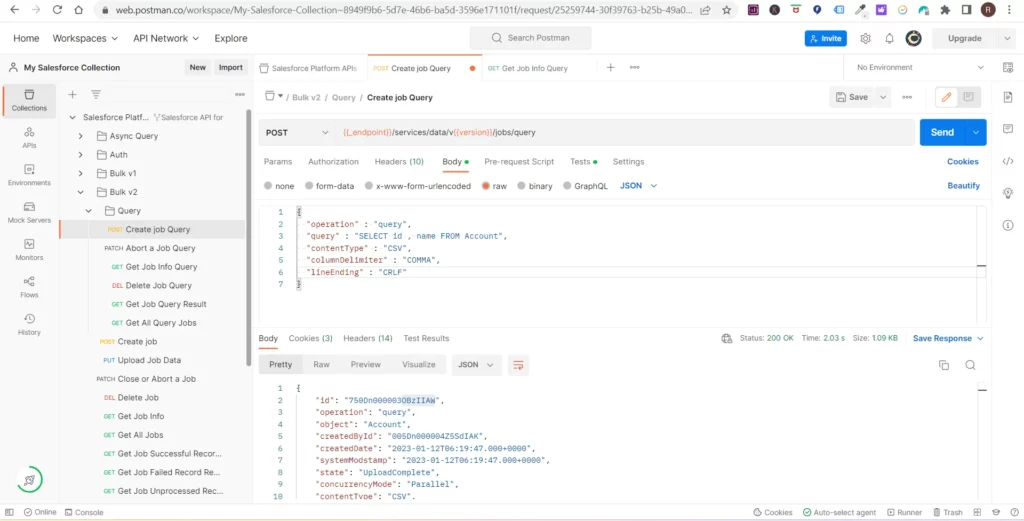 Salesforce bulk API query setup in Postman with a successful JSON response.
- Make changes in the body
					{
"operation" : "query",
"query" : "SELECT id , name FROM Account",
"contentType" : "CSV",
"columnDelimiter" : "COMMA",
"lineEnding" : "CRLF"
}
- Click Send
- After that, go to the Get Job info query and click Send
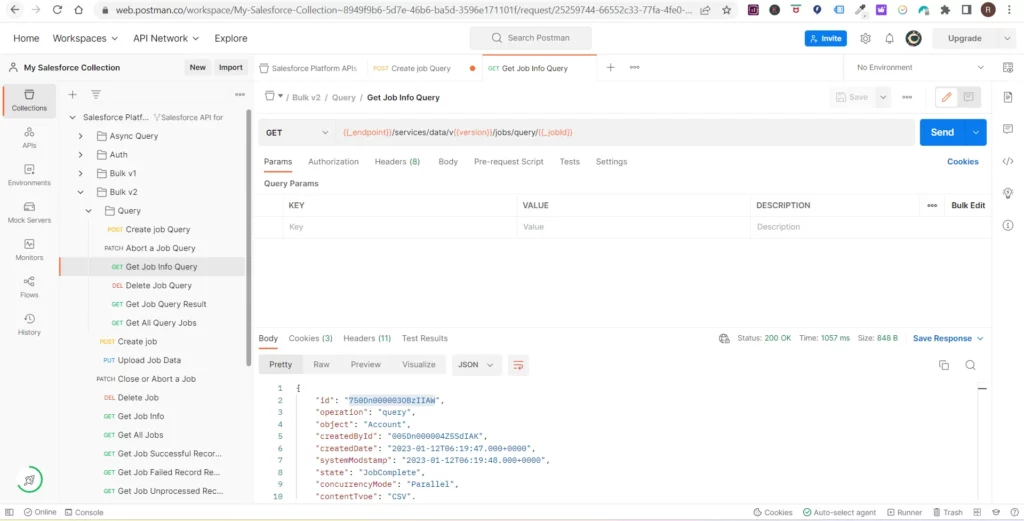 A detailed view of a GET request for job info in Salesforce using Postman.
- Check if the ids are the same
- And After that, you can Get Job Query Result and see all the accounts
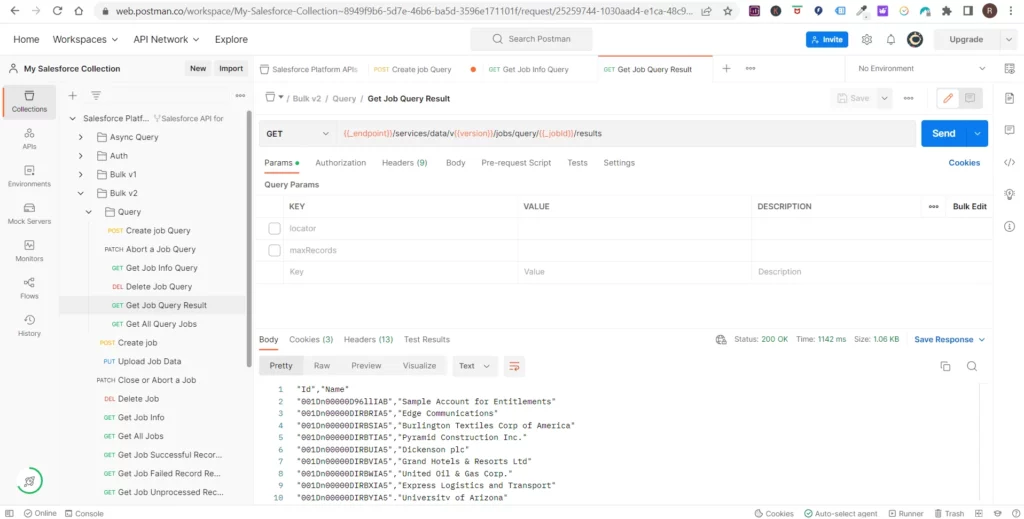 Salesforce job query results displayed in Postman.
- You can cross-check it in your org. Go to the account and see all the records
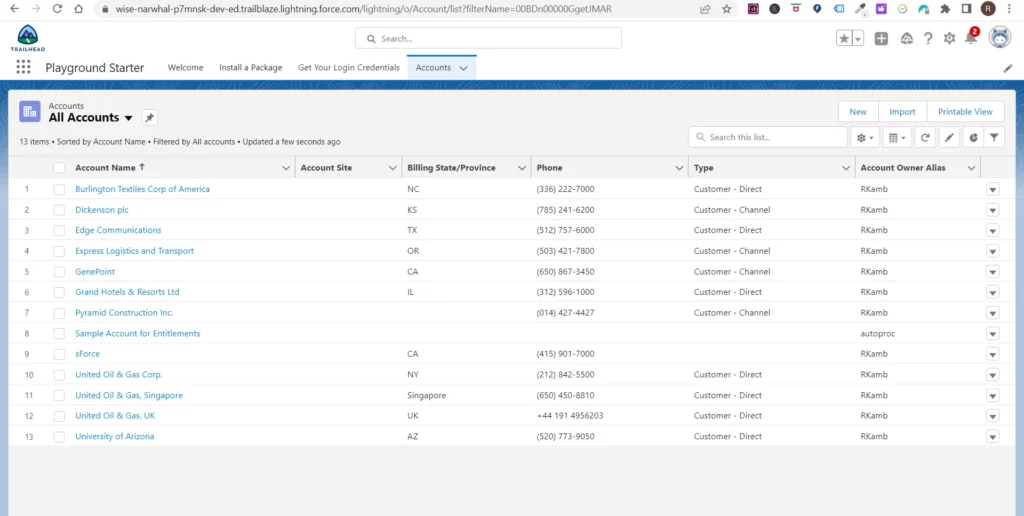 Salesforce account list view in the Salesforce Lightning interface.
That’s it, and that’s how you can use Postman to make requests to the Salesforce API and perform various tasks within your Salesforce account.
We hope this article was helpful. You can check out this article if you want to mask large data sets in your sandbox.
Related Articles

Saurabh Gupta
Saurabh is an Enterprise Architect and seasoned entrepreneur spearheading a Salesforce security and AI startup with inventive contributions recognized by a patent.
Related Articles
Data Masking vs Data Seeding for Salesforce Sandboxes
Data masking vs data seeding for Salesforce sandboxes: Learn how each approach protects sensitive data, their key differences, and which fits your needs.
RTBF & Data Portability Dilemma in Salesforce? 5 tips for you
Learn how to automate RTBF and data portability requests in Salesforce to enhance GDPR compliance and reduce manual effort.
CCPA 2.0 (CPRA) and Your Salesforce Org
Discover how to navigate CPRA updates for Salesforce orgs, ensuring compliance, customer trust, and efficient data management.