Get an Unlimited License (Optional)
Getting Started with the Trial License:
DataMasker provides a trial license for up to four objects, each with unlimited records for a month.
Once you’ve installed DataMasker from AppExchange, you can view the license in the license details section.
To mask more than four objects, reach out to us at info@cloudcompliance.app for an upgrade.
Upgrading to the Unlimited License:
Once you have the Unlimited License, you can install it on your Salesforce Org in two ways:
1. Over Air Licenses Sync
- Pre-requisite: You need to create a Remote Site URL in your org.
- Activation: A quick message to Cloud Compliance will get your license activated on our server.
- Final Touch: Head over to the ‘License’ tab and click ‘OTA Licenses Sync’ to view your active license dates.
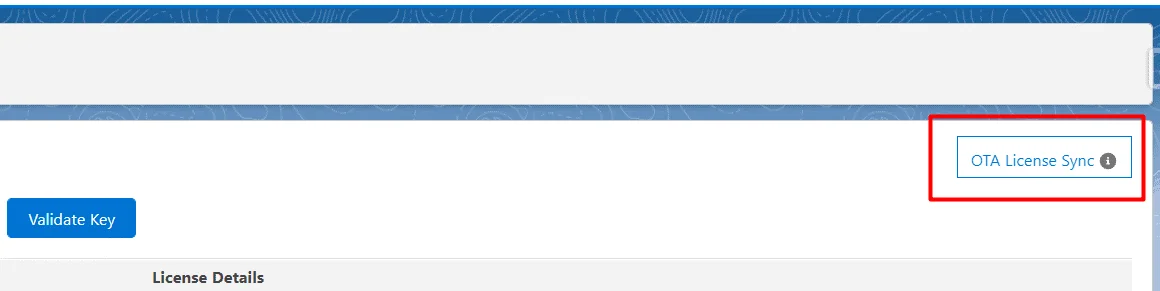
You’ll see a license with the status “Active”.
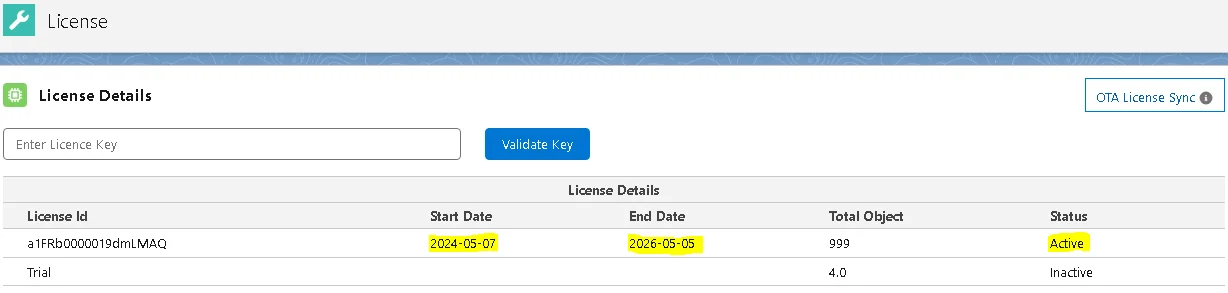
The license start date and end date can be seen in the license detail records.
2. Validate Key
Pre-requisite: To get your hands on the Encrypted License Key, contact Cloud Compliance.
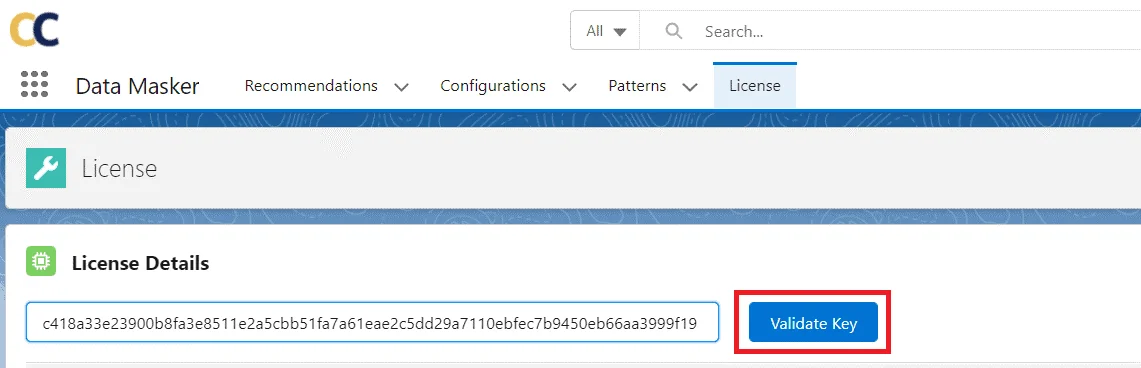
Activation: Click on the ‘License’ Tab, then enter the key, hit ‘Validate Key’, and voilà!
Your license record status should now be ‘Active’.
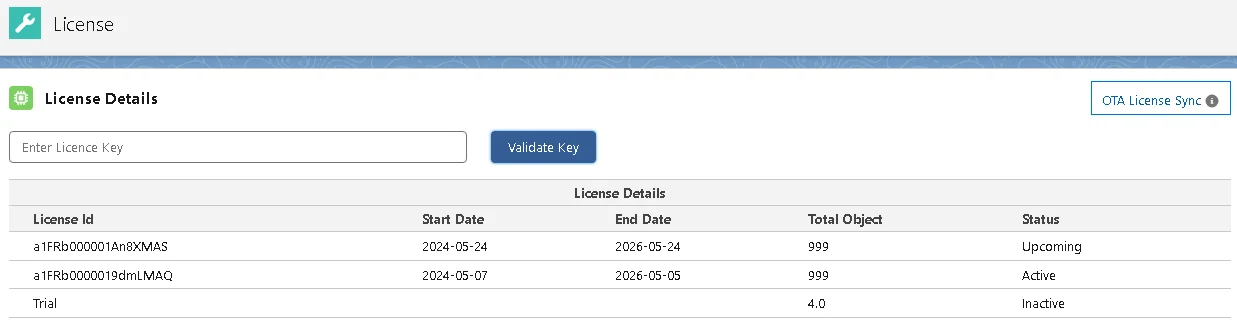
Note: If the Start Date is in the future, then the status will display ' Upcoming'.